Inside Donskul · · 2 min read
Timetables without the whiteboard and markers
Every resumption, somebody in your school gets the job. They take over the staffroom table with a big chart, a pack of markers and a list of teachers. Three days later the timetable is up. Then a teacher points out that she's down for JSS 2 and SSS 1 at the same time on Wednesday, and half of it has to be redone.
The timetable is one of those jobs that looks simple and isn't. The hard part isn't writing subjects in boxes. It's keeping every teacher in one place at a time.
What the timetable page does
Donskul's timetable page is the school's weekly class schedule. It has five tabs:
- My timetable: each teacher sees their own week
- By class: the full week for any class you pick
- Generate: help building the timetable
- Cover: for arranging cover when a teacher is away
- School day: where you set how your school day runs
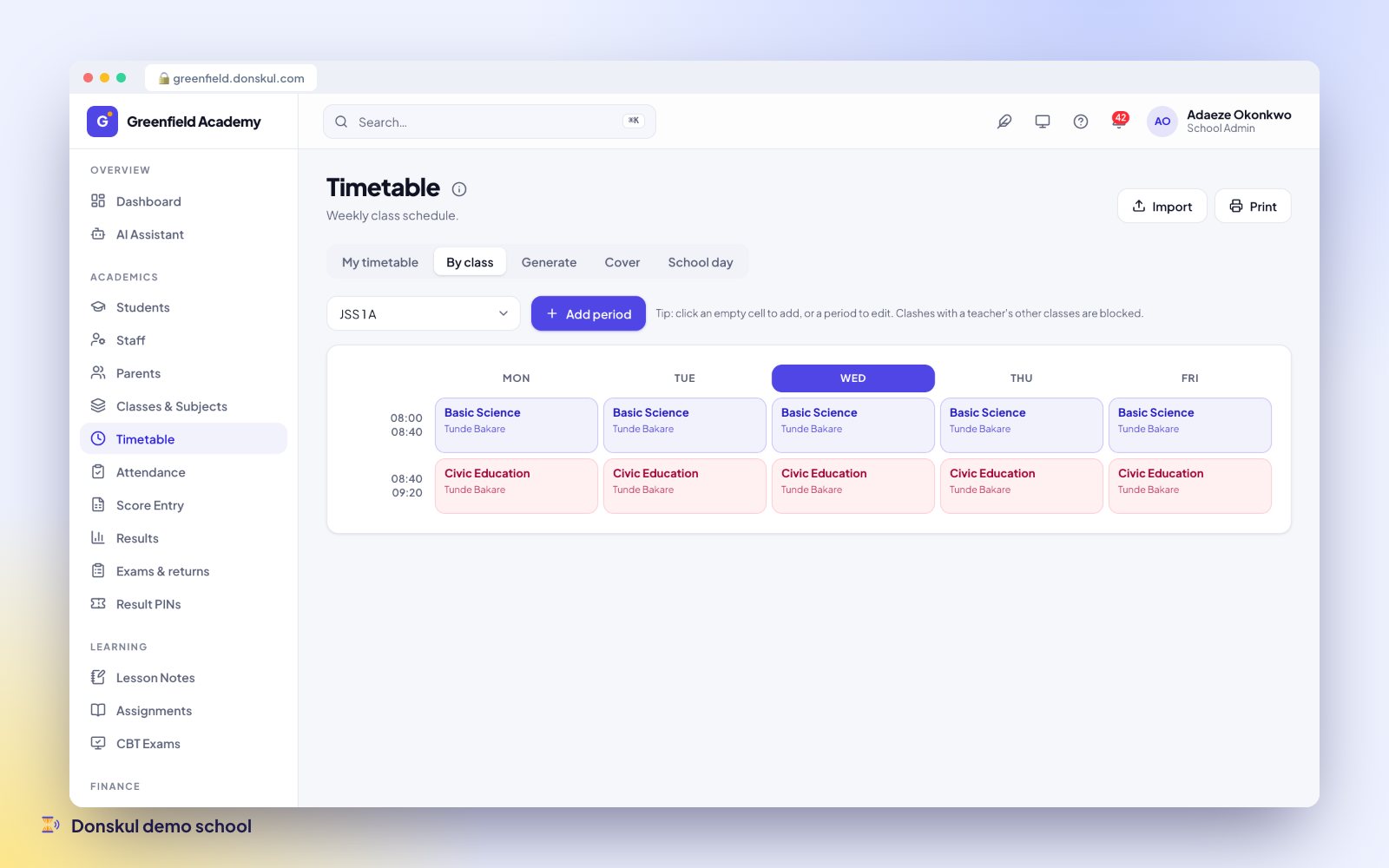
The By class view is a grid: days across the top, period times down the side, and each box shows the subject and the teacher taking it.
The part that saves the most stress is a simple rule. As the page puts it: clashes with a teacher's other classes are blocked. If Mr Bakare is already teaching JSS 1 at 8:40 on Tuesday, you can't put him in JSS 3 at the same time. You find out while you're building, not after the timetable is on the wall.
How to build one
- Set up your school day first, so the periods match your real bell times.
- Open By class and pick a class.
- Click an empty cell to add a period, or click an existing period to edit it.
- Repeat for each class. If a slot clashes, choose another teacher or time.
- Hit Print for the notice board, or let teachers check My timetable on their phones.
Already have a timetable in a spreadsheet? The Import button lets you bring it in instead of starting over.
Who benefits
The vice principal or whoever draws the timetable gets days back at the start of term, and fewer arguments in week two.
Teachers always know where they should be, even when the timetable changes mid-term.
Proprietors can see at a glance that every class has its subjects covered.
Put the markers down
A good timetable is quiet. Nobody talks about it because it works. If yours currently lives on a chart that no one can update, it might be time to move it somewhere that can say "no" to a clash before it happens.

Run your whole school on Donskul
Results, CBT, fees, payroll and parents in one app that works on any phone. Free trial, no card needed.
Ready to take the next step?
Book a free demoEnjoyed this? Follow Donsoft on Facebook for new articles and Donskul updates.