Donskul
What parents see: Donskul on a parent’s phone
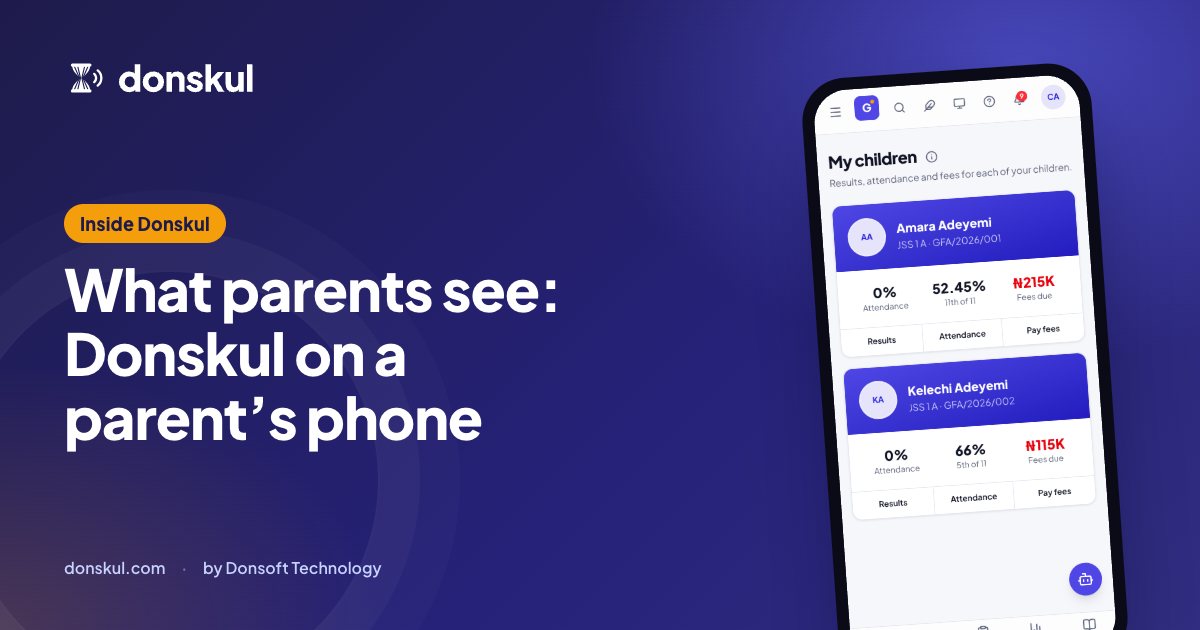
School owners often ask us one question before anything else: "What will my parents see?" Fair question. Parents pay the fees, and if the parent side is confusing, they'll keep calling the office instead.
So here's a plain walk through Donskul on a parent's phone, using the demo school.
The home screen
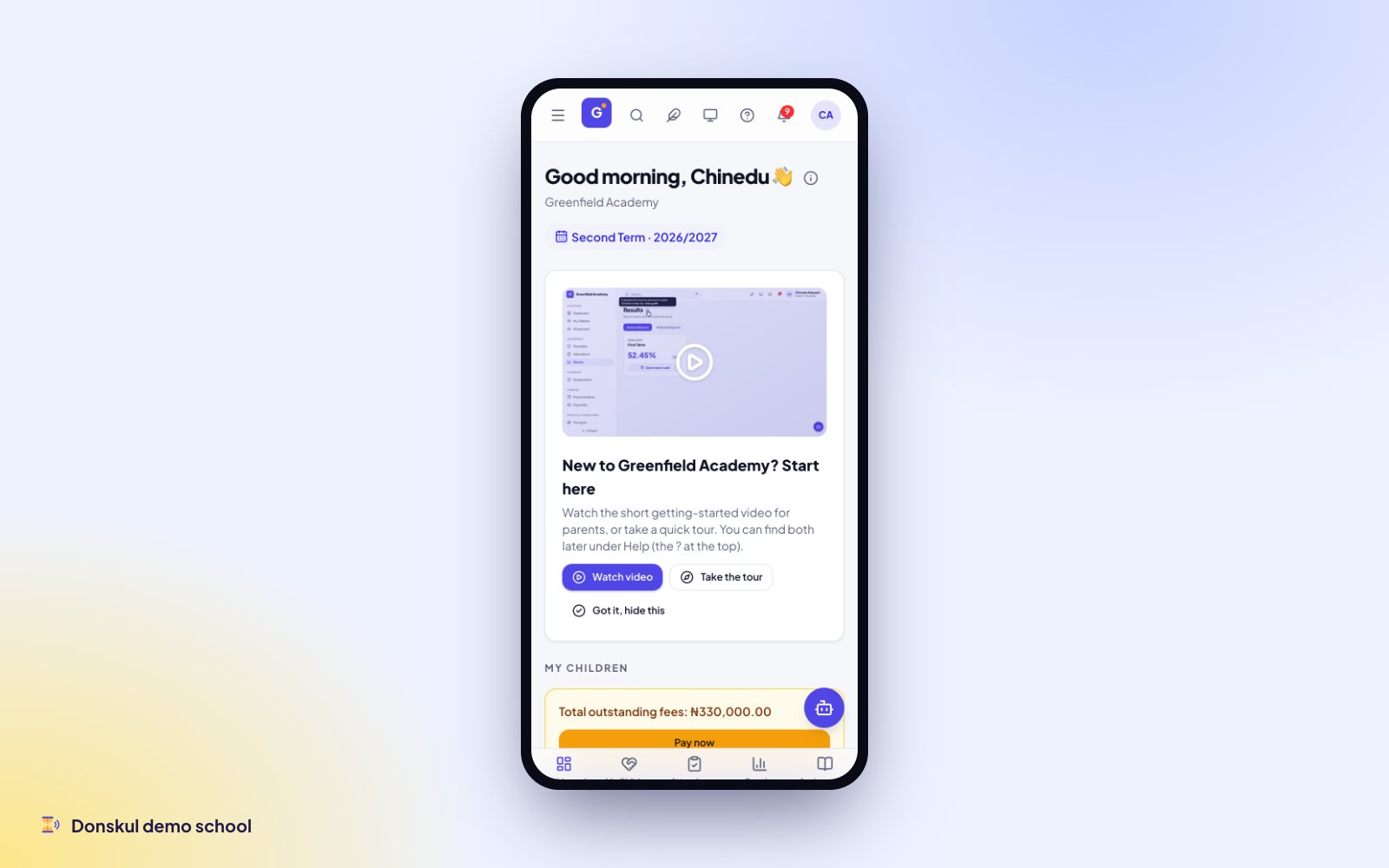
When a parent logs in, they're greeted by name, with the school's name and the current term at the top, for example Second Term 2026/2027. New parents see a short getting-started video made for parents, and a quick tour. They can watch it, take the tour, or hide it. Both stay under Help (the ? at the top) for later.
Further down, under My children, there's the total outstanding fees for all their children together and a Pay now button.
My children
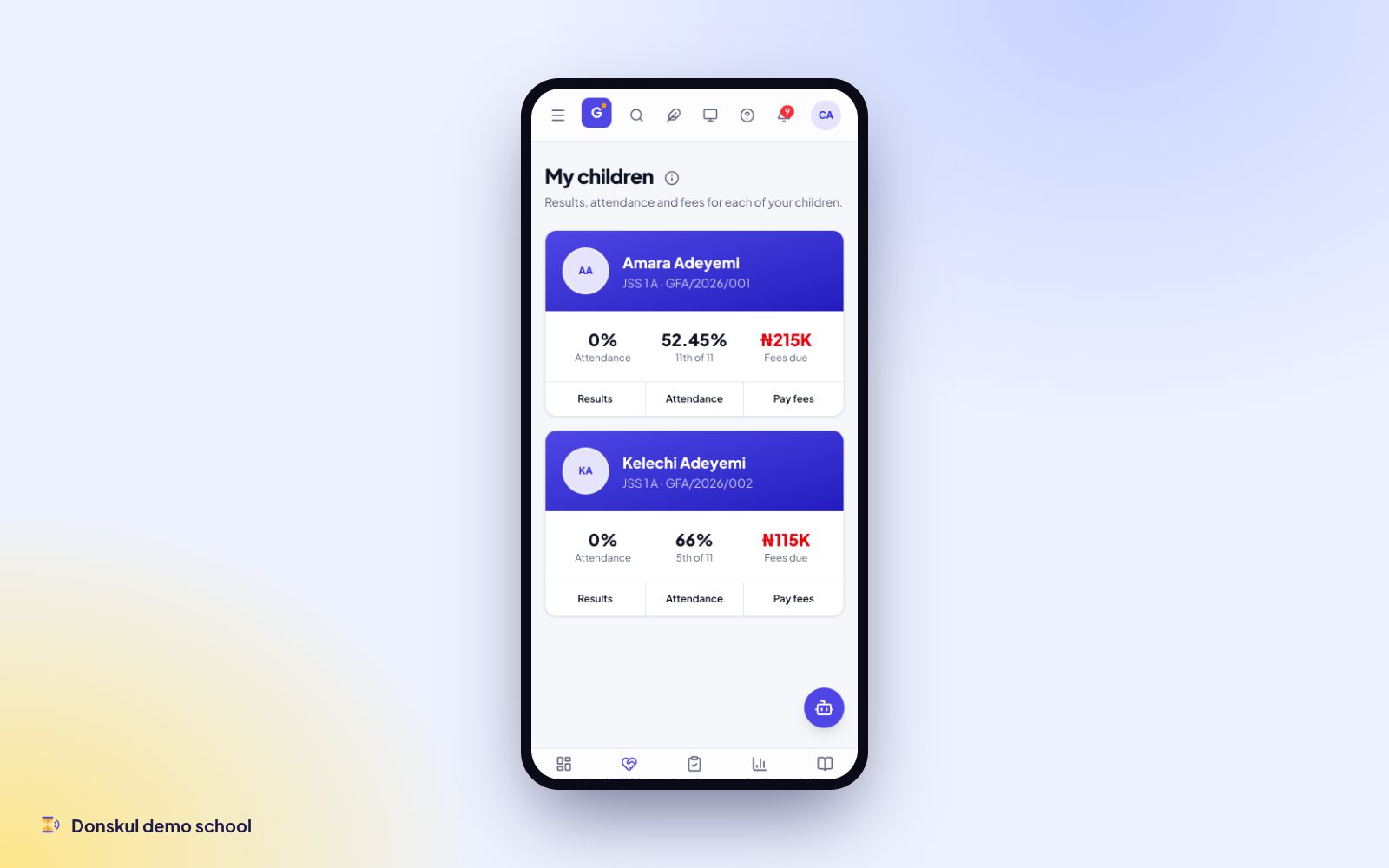
The My children page shows results, attendance and fees for each child. Every child gets a card with their name, class and admission number, then three numbers: attendance, their average with position in class, and fees due.
Under each card are three buttons: Results, Attendance and Pay fees. A parent with two children in the same school sees both, side by side, without logging in twice.
When they pay, the money goes straight into the school's own account through its payment provider or bank. Donskul never holds it.
Messages with teachers
The Messages page is for private conversations between parents, teachers and staff. A parent taps New message, writes to the class teacher, and the reply comes back in the same thread. No sharing personal phone numbers, no messages lost in a busy group chat.
Everything else on the bottom menu
At the bottom of the screen: Dashboard, My Children, Attendance, Results and Assignments. So a parent can check homework due, see last week's register, or open a report card in two taps.
How parents get started
- The school adds parents (or imports them from Excel) and links them to their children.
- The parent signs in on their phone. Donskul works on Android and iPhone and installs like an app, no app store needed.
- They watch the short video or take the tour.
- From then on, they get push alerts and messages when the school posts something new.
There's also a lite mode for older phones, which matters when data is expensive.
Who it helps
Parents stop guessing. Fees, results and attendance are right there.
Bursars get fewer "how much do I owe?" calls.
Teachers can talk to parents without giving out their numbers.
Proprietors get a school that looks organised to the people paying for it.
Want to see it on your own phone? Start a free trial and log in as a parent.